
LinkedIn Learning
Overview
Students and Staff have access to a LinkedIn Learning account that is accessible with Passport York credentials.
Only LinkedIn Learning features are available through this account. Other regular LinkedIn features (including Premium features) are not intended for this account and are unavailable.
Access LinkedIn Learning
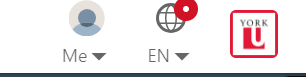
Students and staff are able to access LinkedIn Learning (formerly LinkedIn Lynda) at https://www.yorku.ca/services/lil/ using your Passport York account. When signing in to LinkedIn with your Passport York account, you should see the York University Logo besides your profile icon, as shown below.
Please note that this account does not need to be "created" with your York University email address and is automatically provisioned with your Passport York account.
Troubleshooting
If you have accidentally made an account using your York University email, rather than signing in at https://www.yorku.ca/services/lil/, that is a regular LinkedIn account that is not managed under York University's collaboration with LinkedIn.
If you encounter any problems, you can ask LinkedIn to deactivate the alias account with the instructions here: https://www.linkedin.com/help/linkedin/answer/a1379064.